
Volunteer Sign-up Tutorial
 Volunteer Job Sign-Up Made Easy!
A Quick & Fun Guide to Getting Involved
Volunteer Job Sign-Up Made Easy!
A Quick & Fun Guide to Getting Involved
 Step 1: Head to the Meets & Events Calendar
Once you're logged into your team account, check out the Swim Meet & Events Calendar—this is your gateway to all volunteer opportunities!
Each meet or event will be labeled as:
Step 1: Head to the Meets & Events Calendar
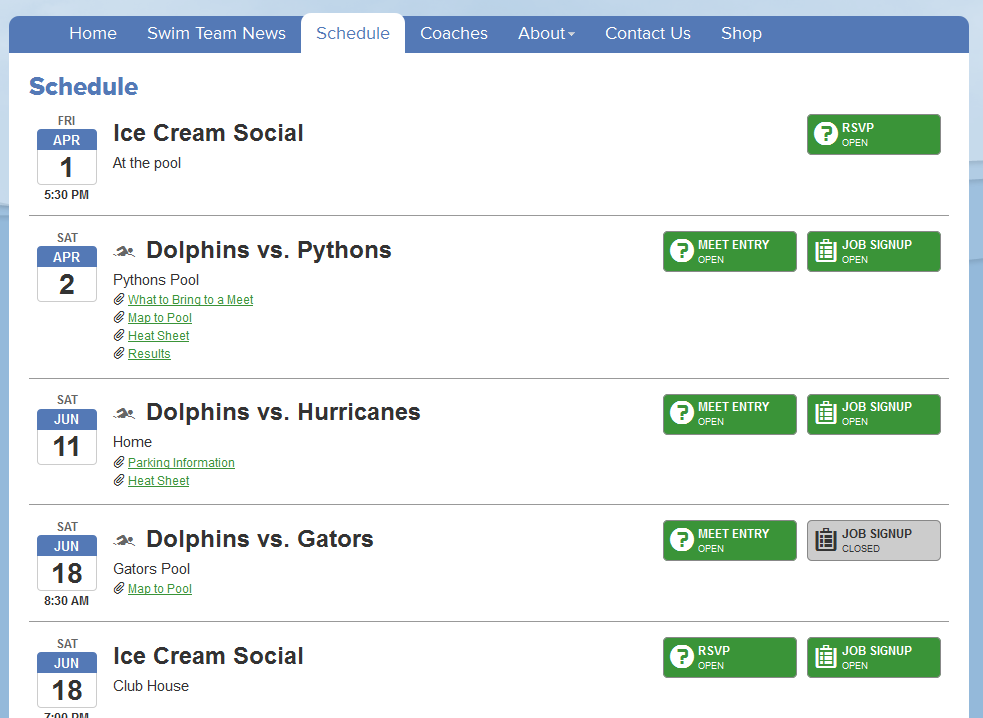
Once you're logged into your team account, check out the Swim Meet & Events Calendar—this is your gateway to all volunteer opportunities!
Each meet or event will be labeled as: Open – Ready for sign-ups!
 Pending – Coming soon.
 Closed – Sign-up window has passed.
 Step 2: Pick Your Volunteer Gig
- See a green "Job Sign-up" link? Click it to grab a role!
- Want to see who’s already signed up? Click the red "View Sign-ups" link.
Already picked a job but want to make changes? No problem—click "Sign-up for jobs" again to edit your selections.
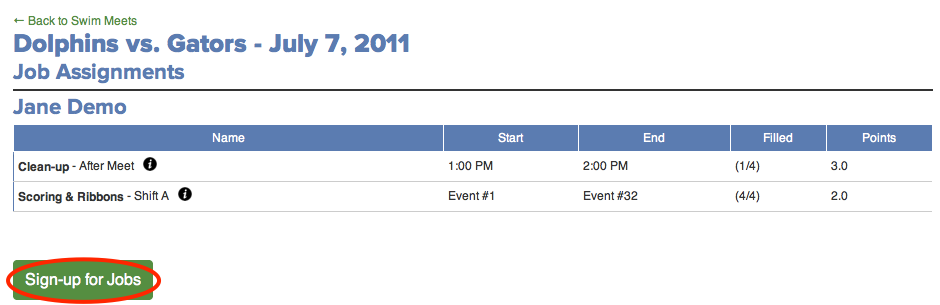
 Step 3: Choose Your Shifts Like a Pro
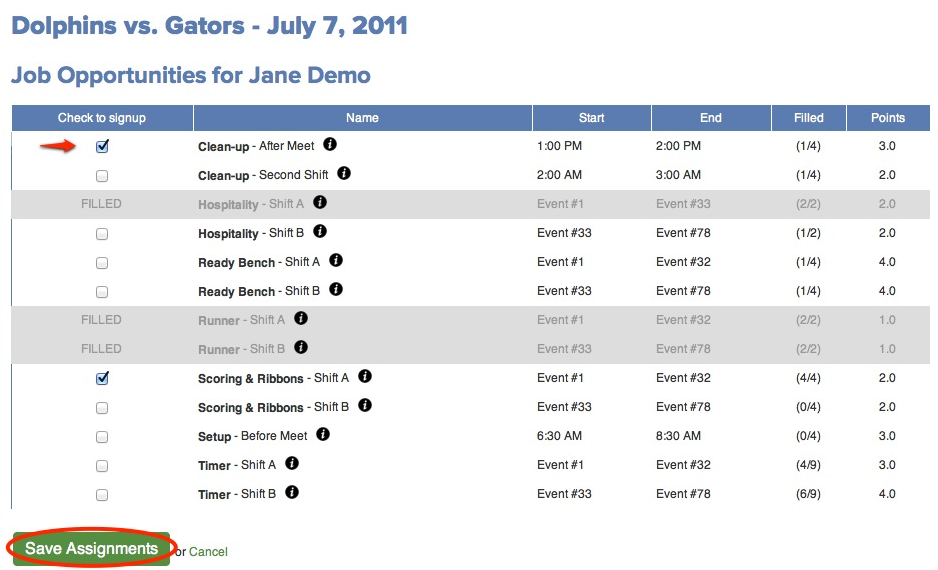
You’ll see a full list of available jobs, including:
Step 3: Choose Your Shifts Like a Pro
You’ll see a full list of available jobs, including:
- Shift times
- How many slots are filled
- Volunteer points
Check or uncheck the boxes next to each job, then don’t forget to click "Save Assignments" to lock in your picks!
Step 4: You're In!
After saving, you might see a confirmation screen—and a link to go back if you want to tweak your shift selections. Easy peasy!
Volunteering = a smoother meet, a stronger team, and a great way to be part of the fun.
Let’s make it a great season—thank you for being awesome!

